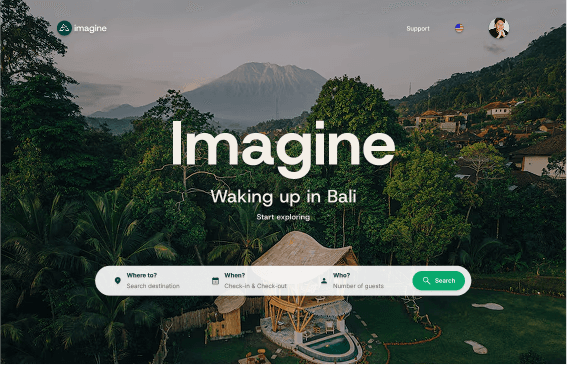

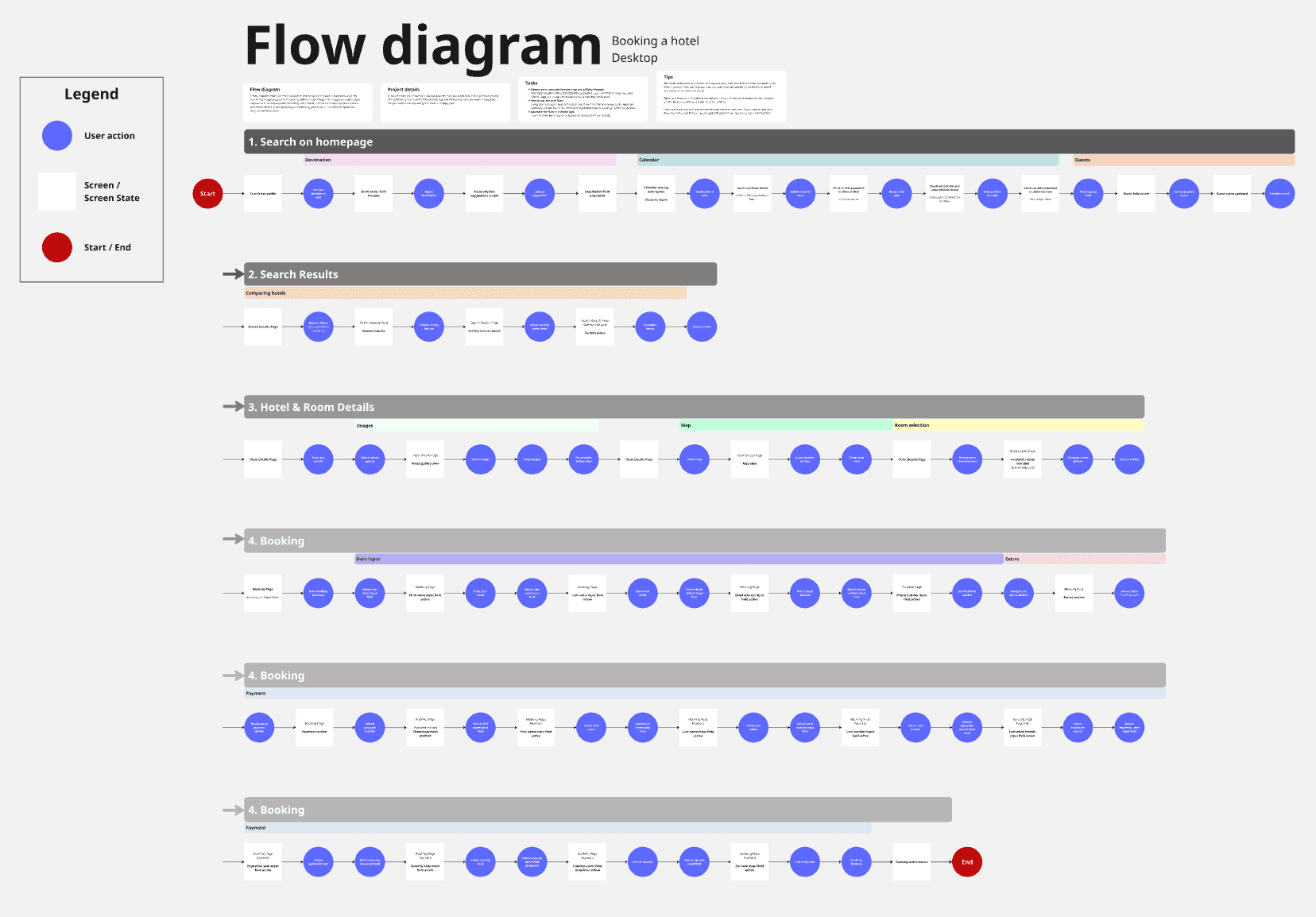
Have you ever abandoned a hotel booking out of pure frustration? Imagine redesigns the booking flow around a single principle: every click should feel predictable, every price should be visible, every decision should be easy.
Research
Analysis
Design
Testing
Research




Analysis
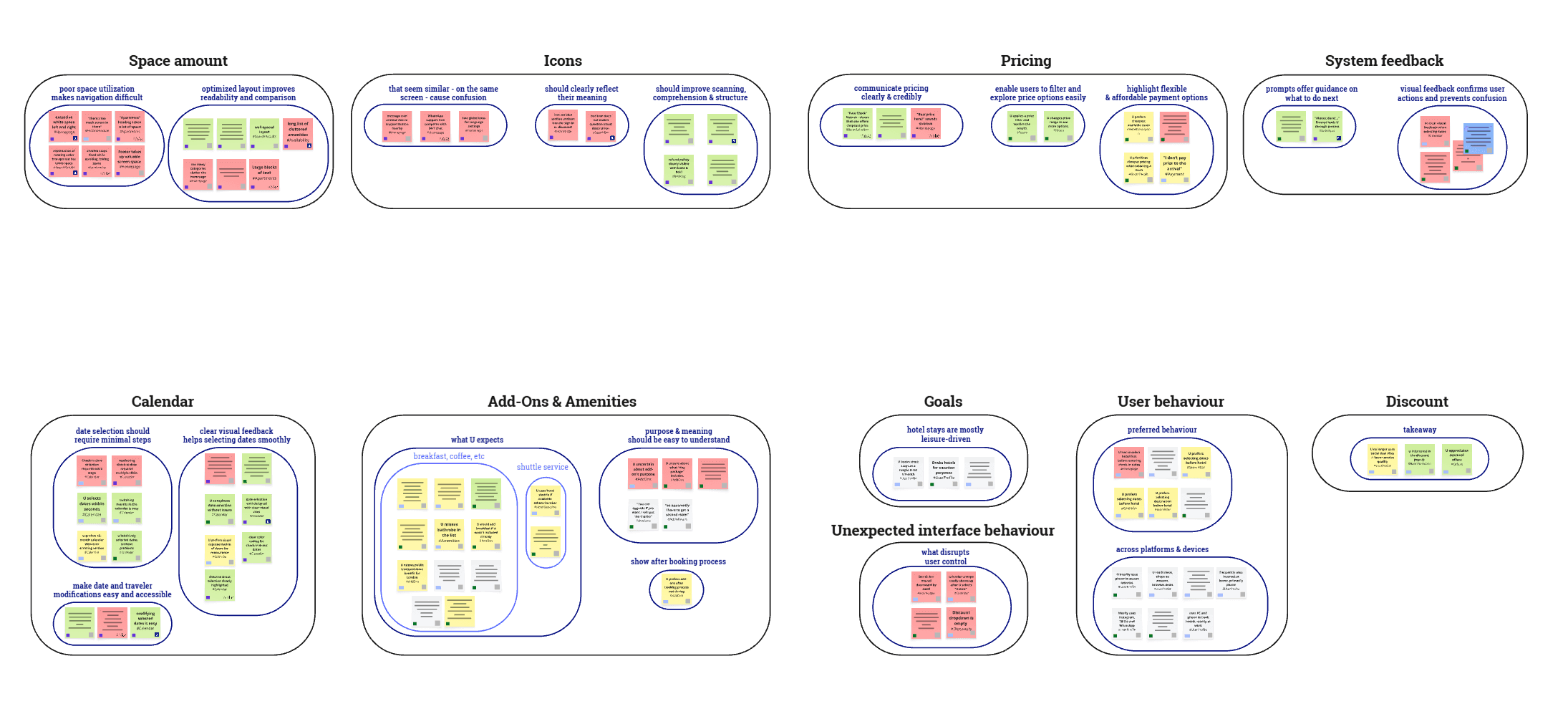
1
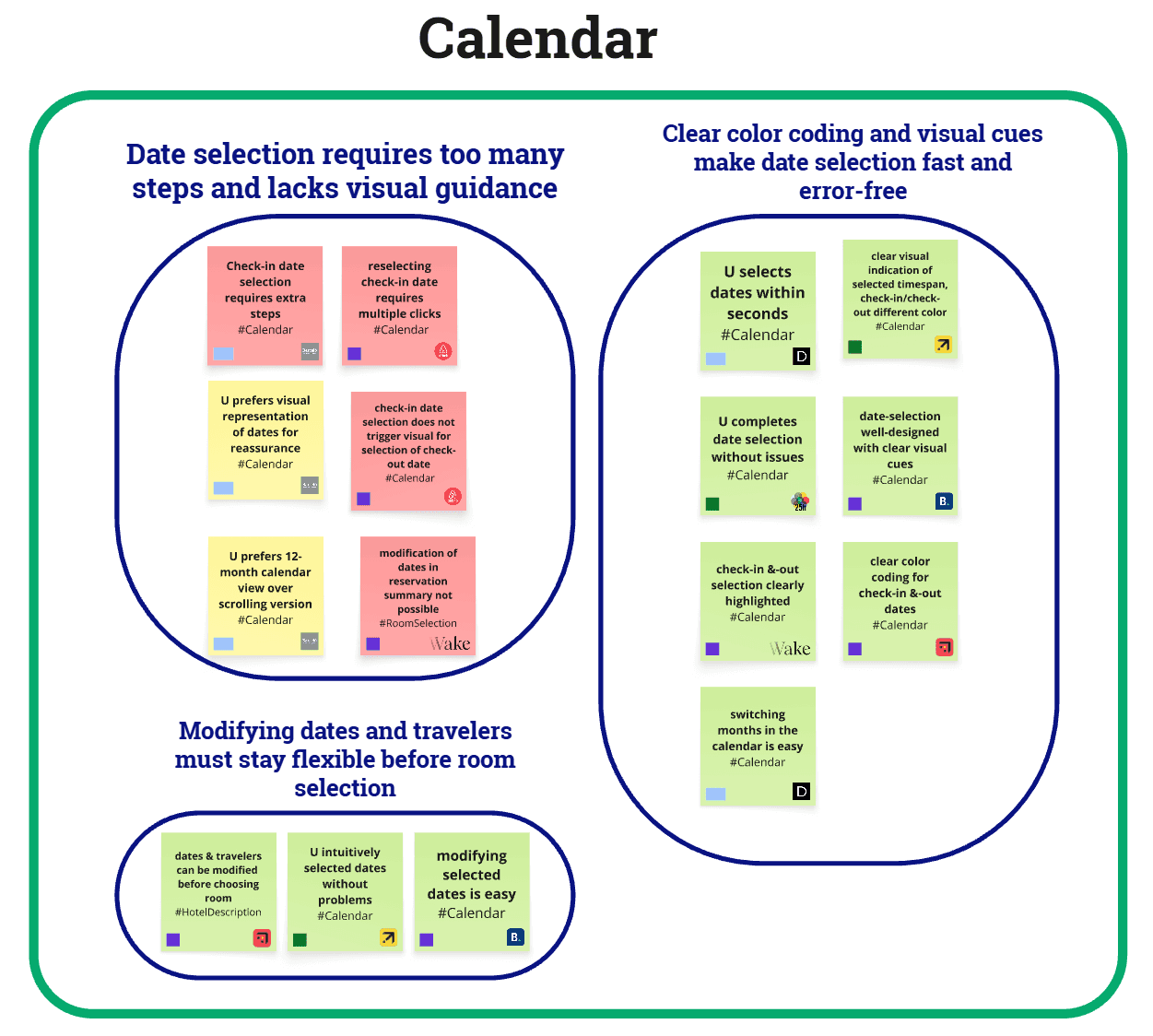
Unpredictable Calendar
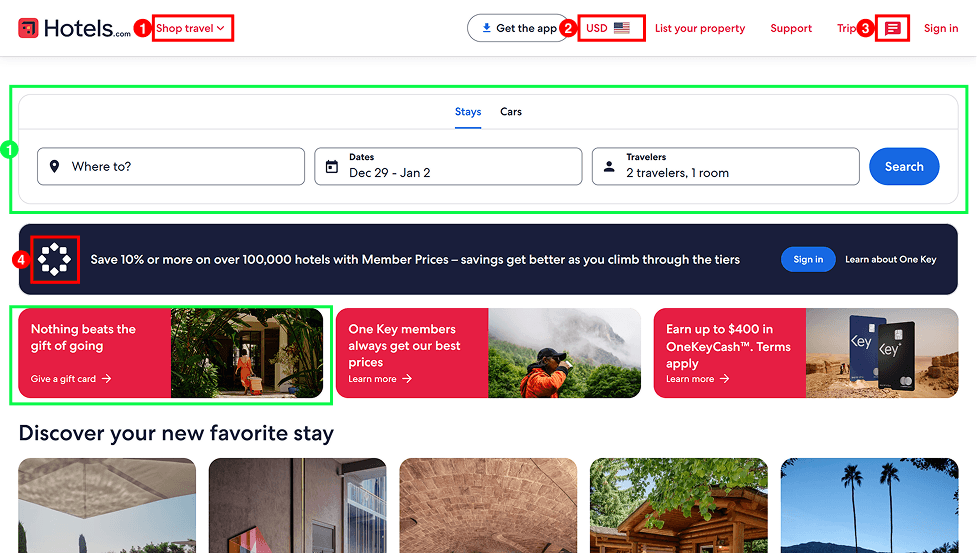
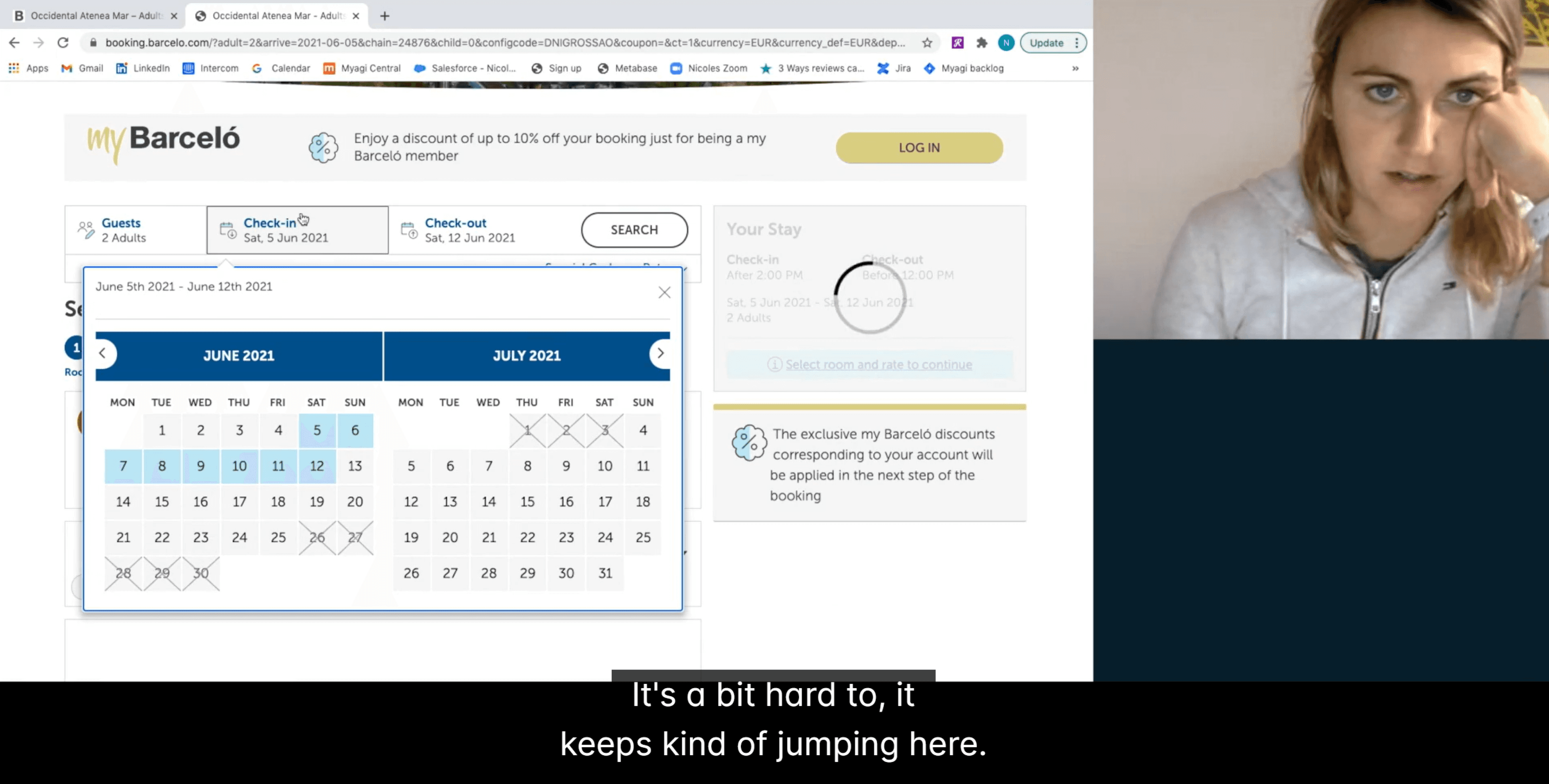
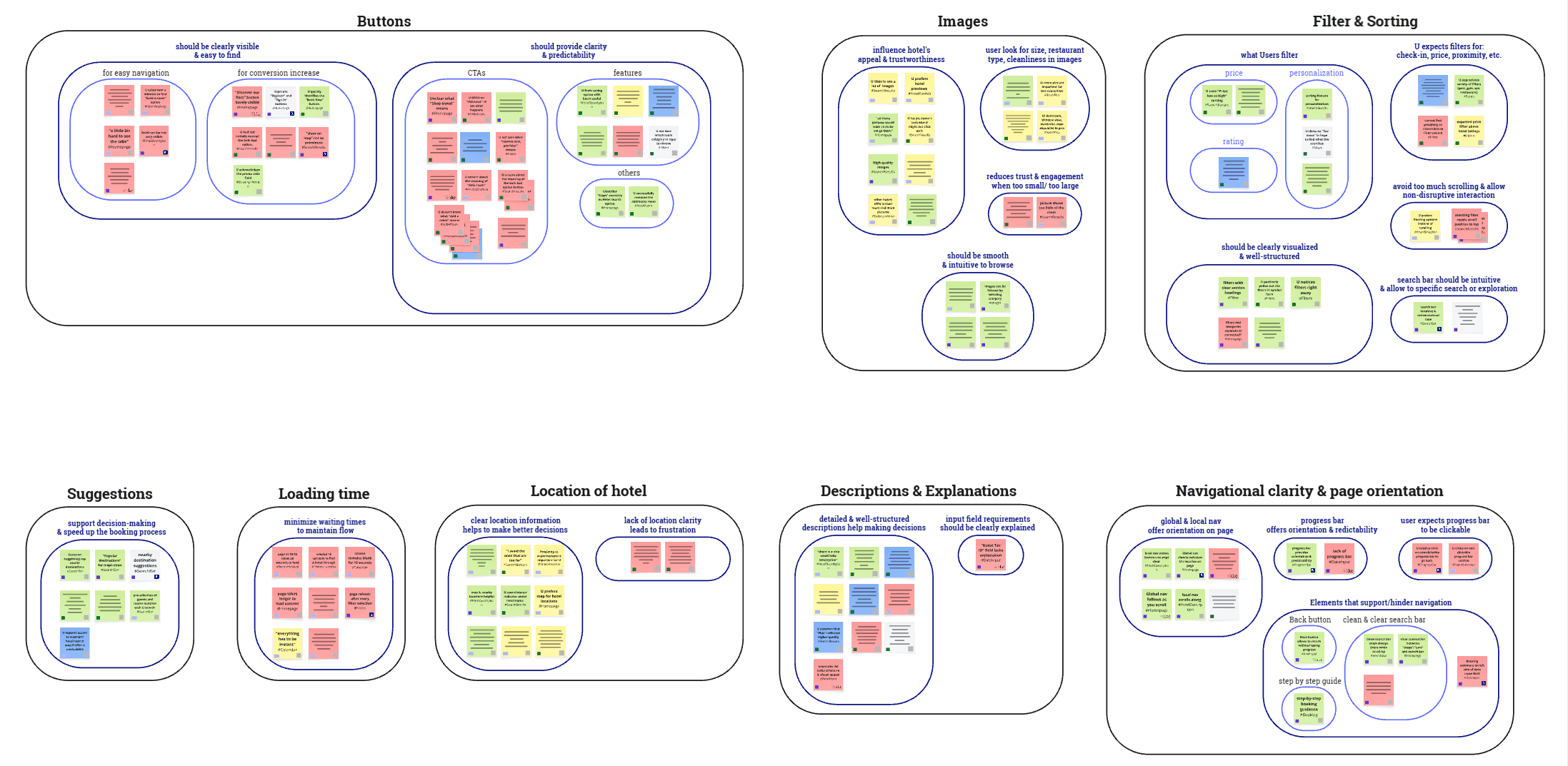
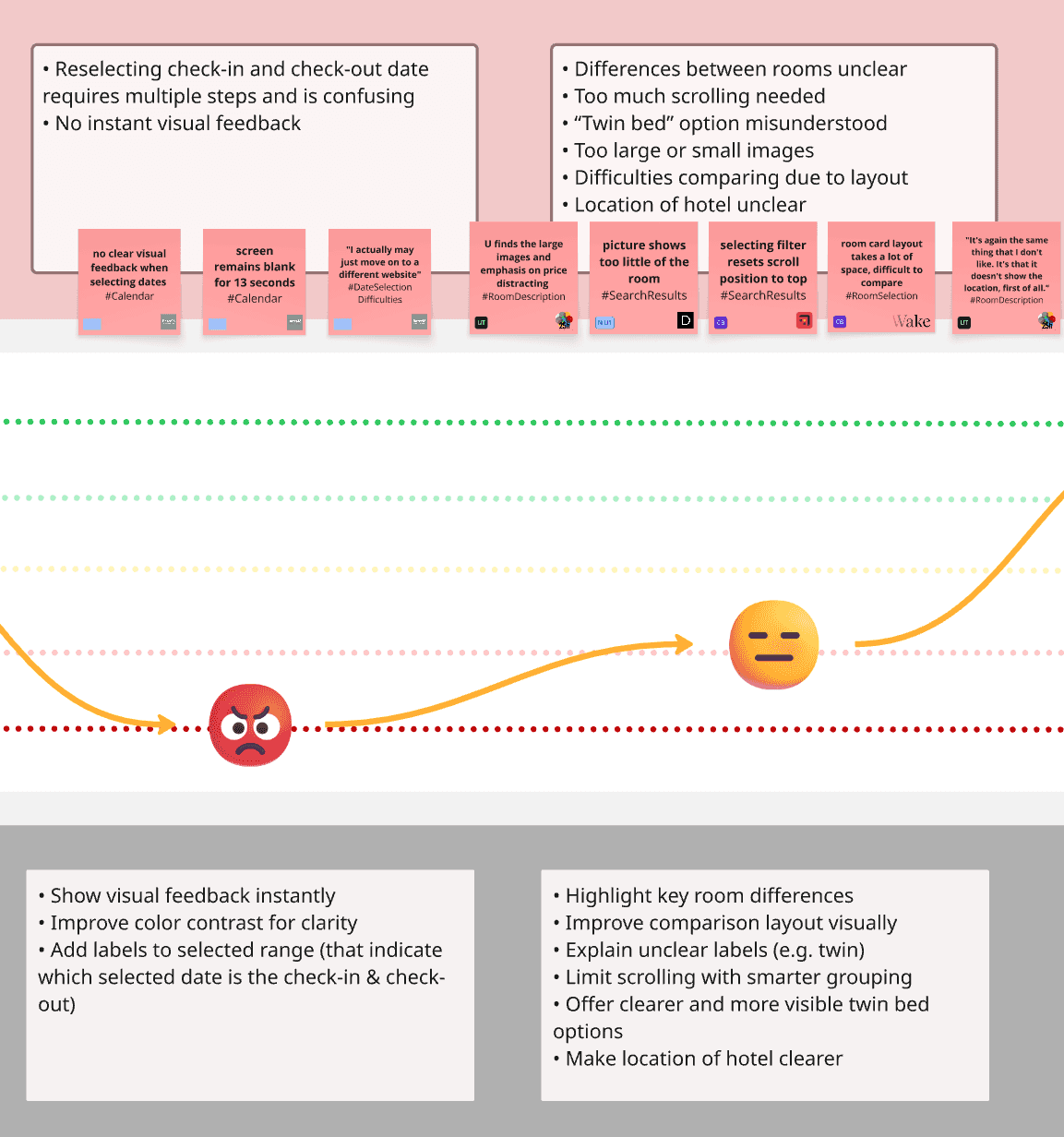
Users could not tell which field was active, so the calendar often felt unpredictable. This led to repeated attempts, longer time on task, and early drop-off before users even reached room selection.
2
Unclear Room Comparison
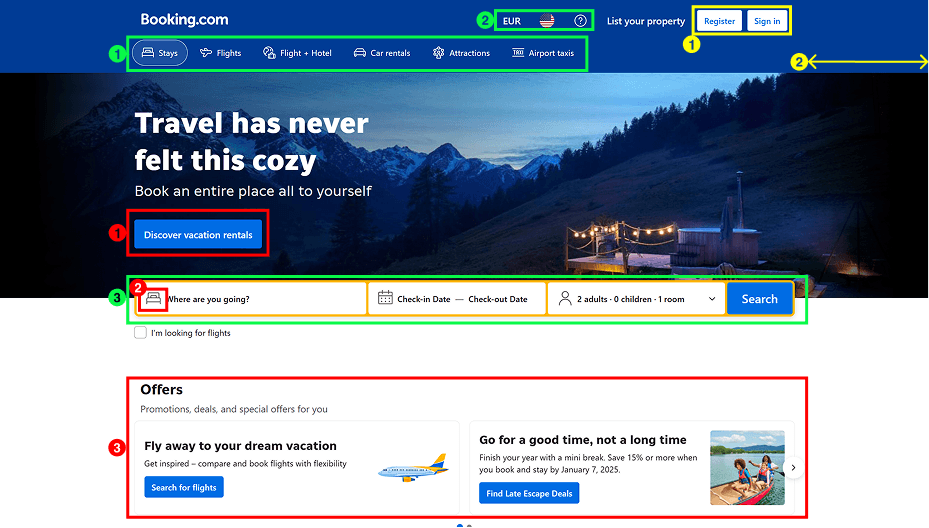
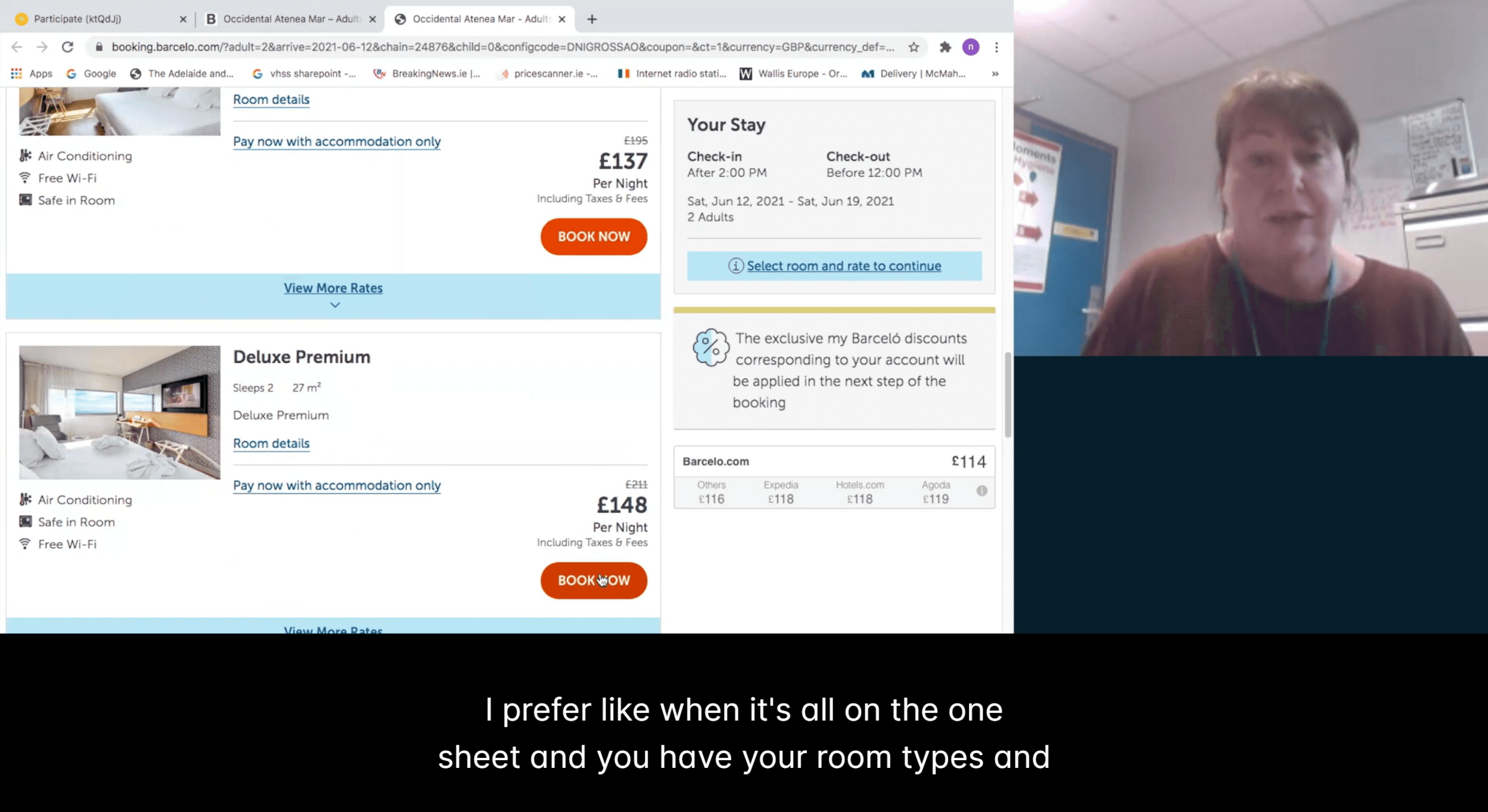
Room options were hard to compare because key differences were scattered and required scrolling or back-and-forth navigation. This made it difficult to choose confidently and increased decision fatigue at the most important step in the flow.
3
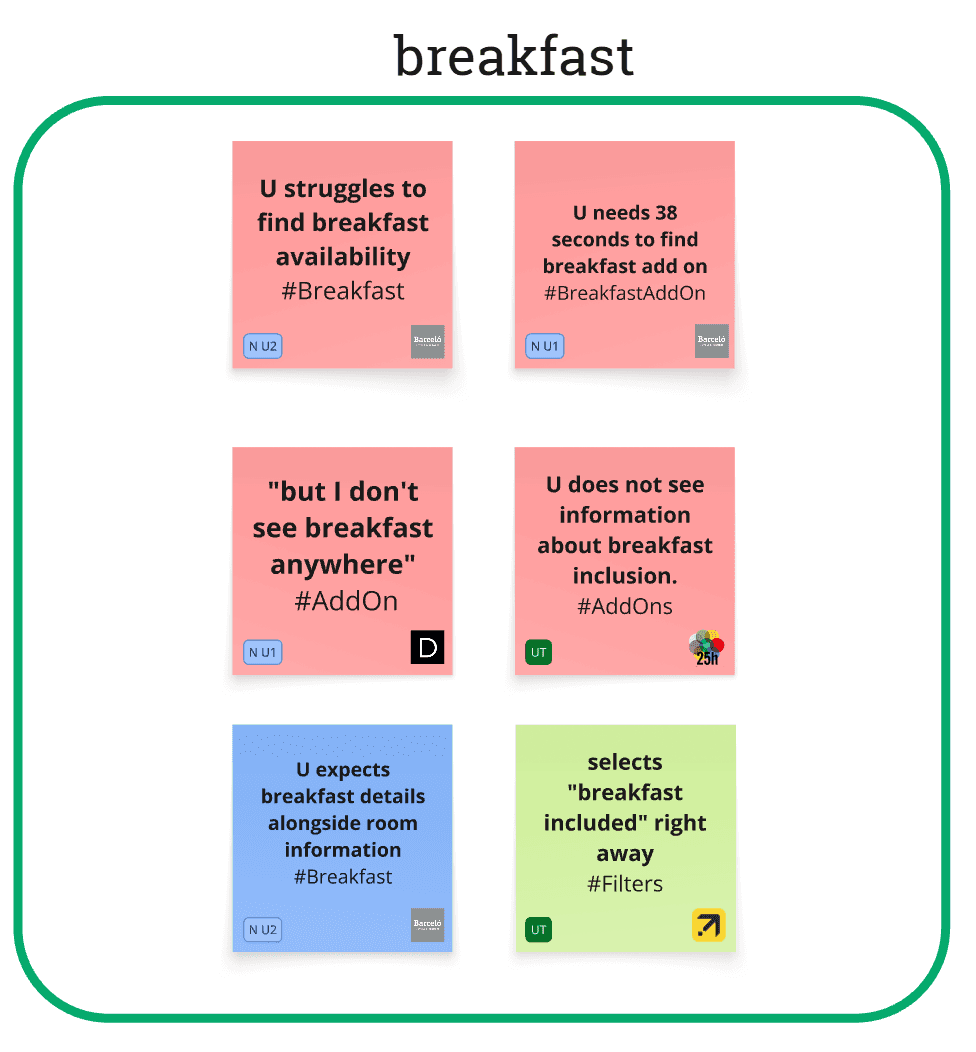
Hidden Information
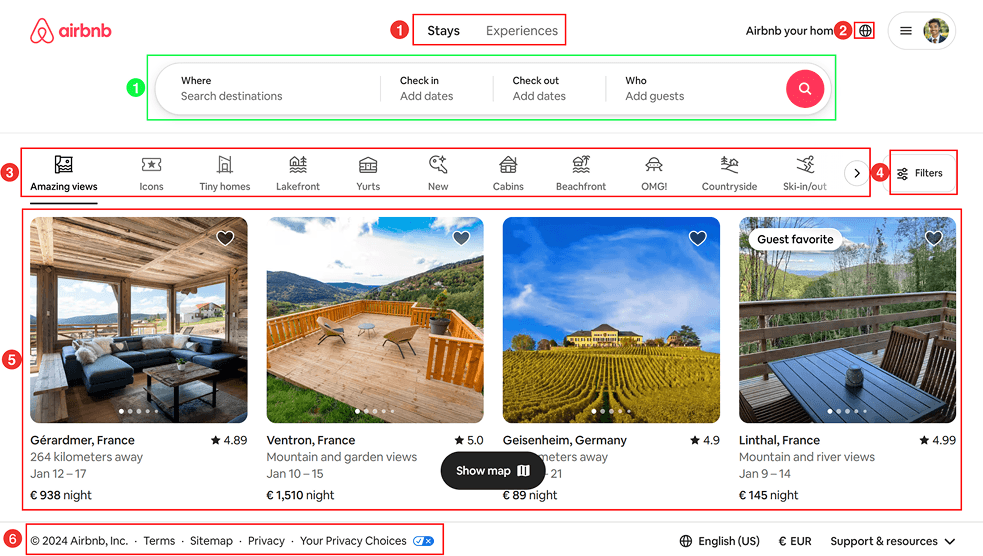
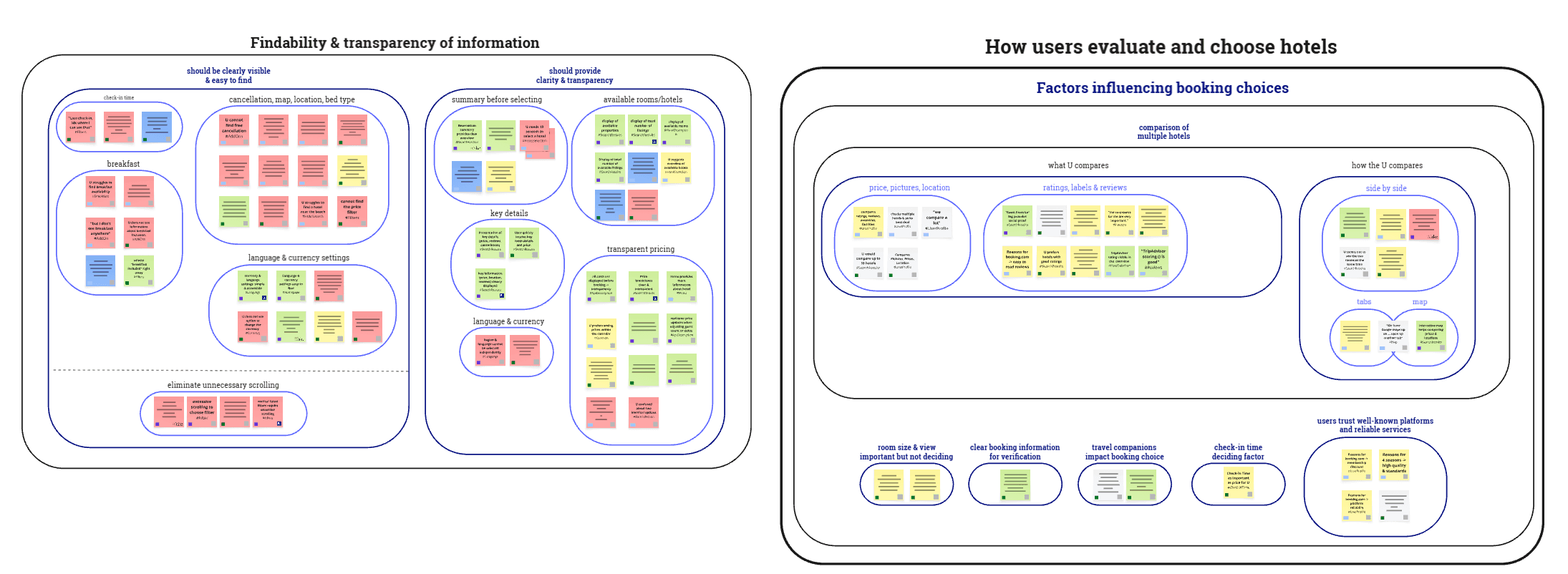
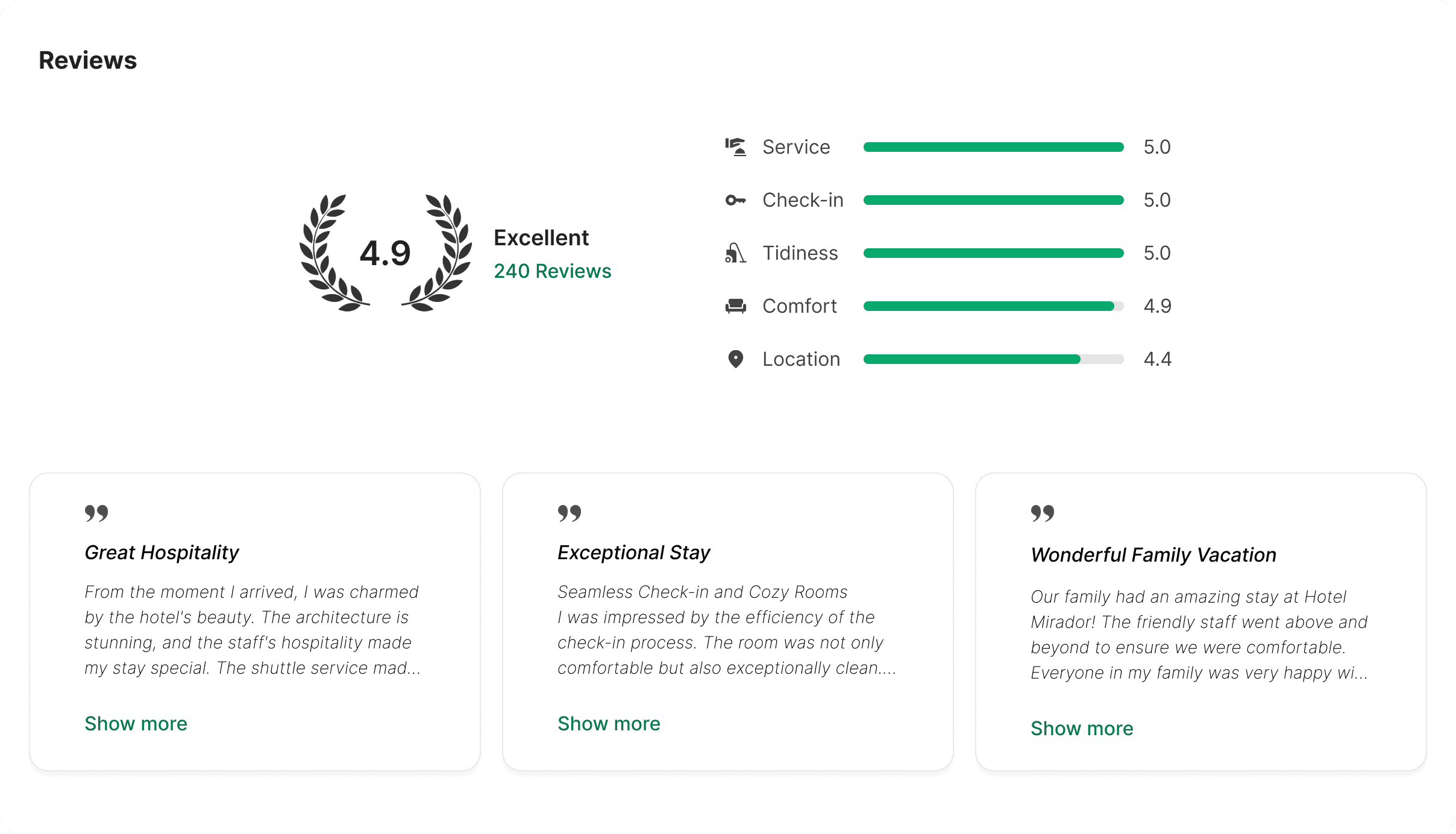
Key details like breakfast inclusion, location, and cancellation terms were not visible early enough to make a confident decision. When users had to search for these late in the journey, trust dropped and abandonment became more likely.
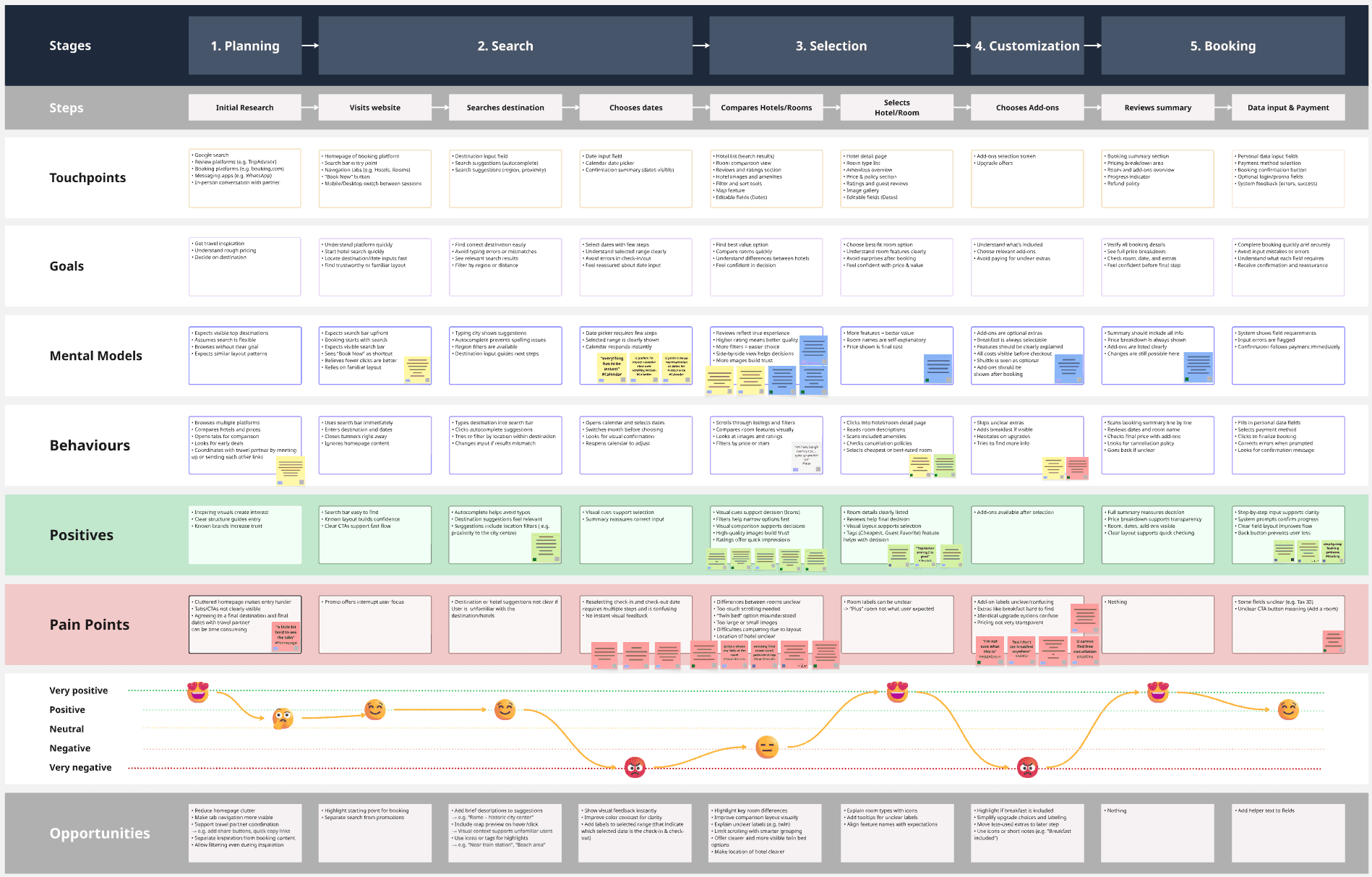

Design

1
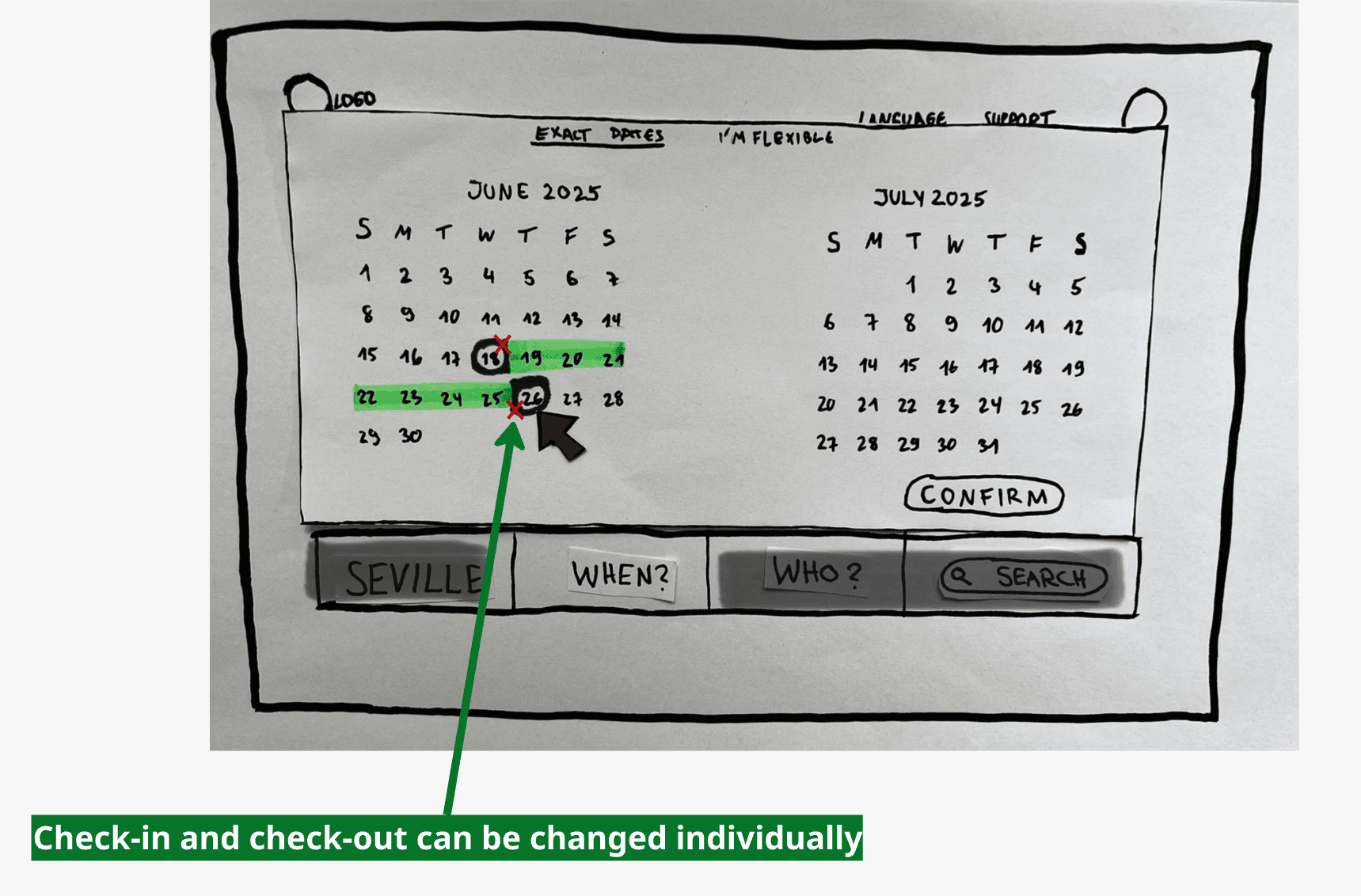
Before: A user struggled for nearly 2 minutes as the calendar switched fields unpredictably and the screen went blank repeatedly. She massaged her forehead and said: "I actually may just move on to a different website."
After: Errors, time on task, and frustration at the first step of the booking flow are reduced, building the trust needed to move users toward completion.
STATE FEEDBACK
The active input field is always highlighted, so users know exactly which date they are selecting. This prevents the repeated attempts observed in usability tests.
RANGE PREVIEW
Hovering shows the full date range before confirming. Once selected, the range stays visible on the calendar, giving users continuous visual reassurance.
NO OVERLAY CLOSE
On a competitor website, the calendar closed automatically when users tried to change their dates, forcing them to reopen it. Here, the calendar stays open, allowing direct corrections and reducing the clicks needed to modify a booking.
2
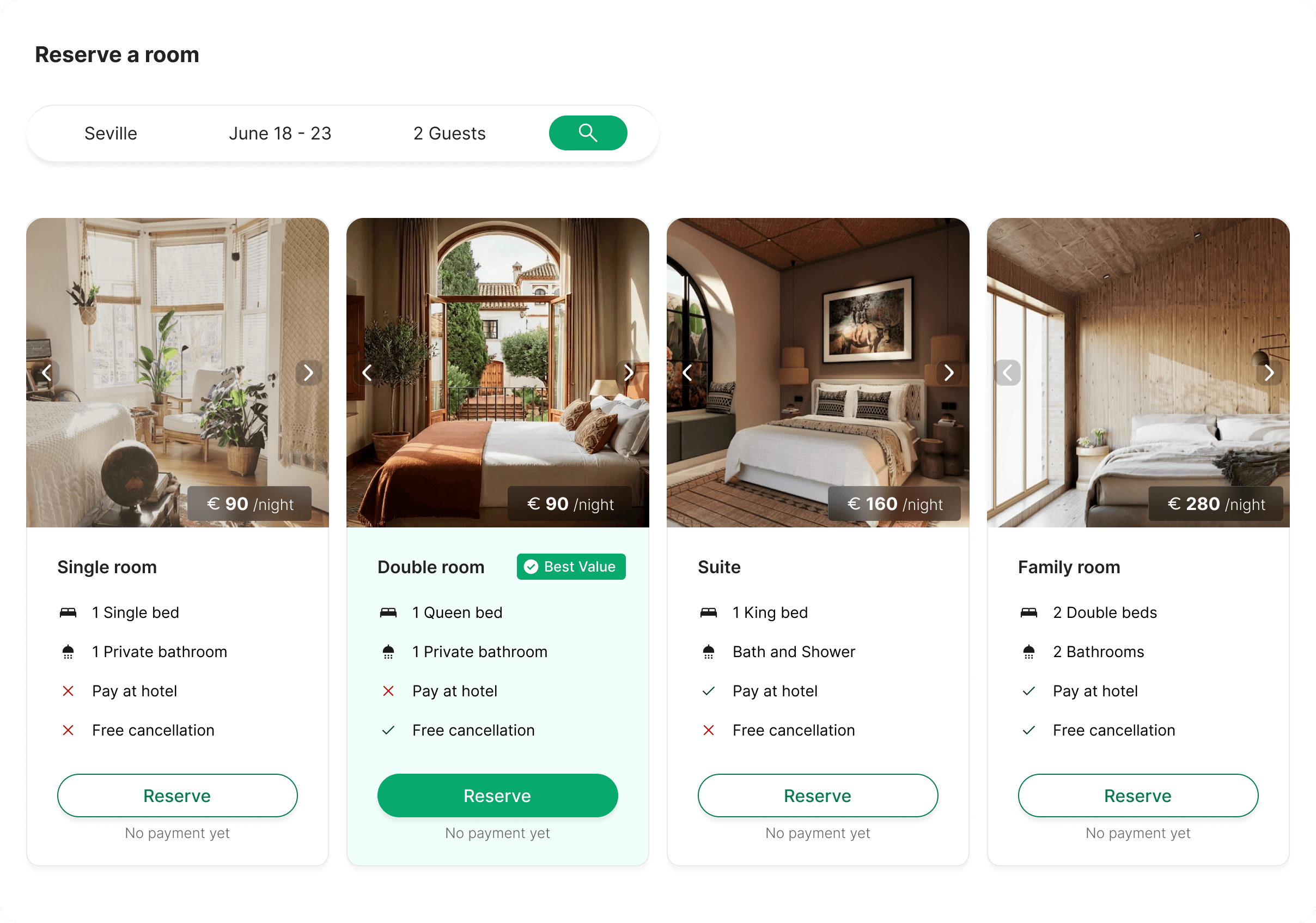
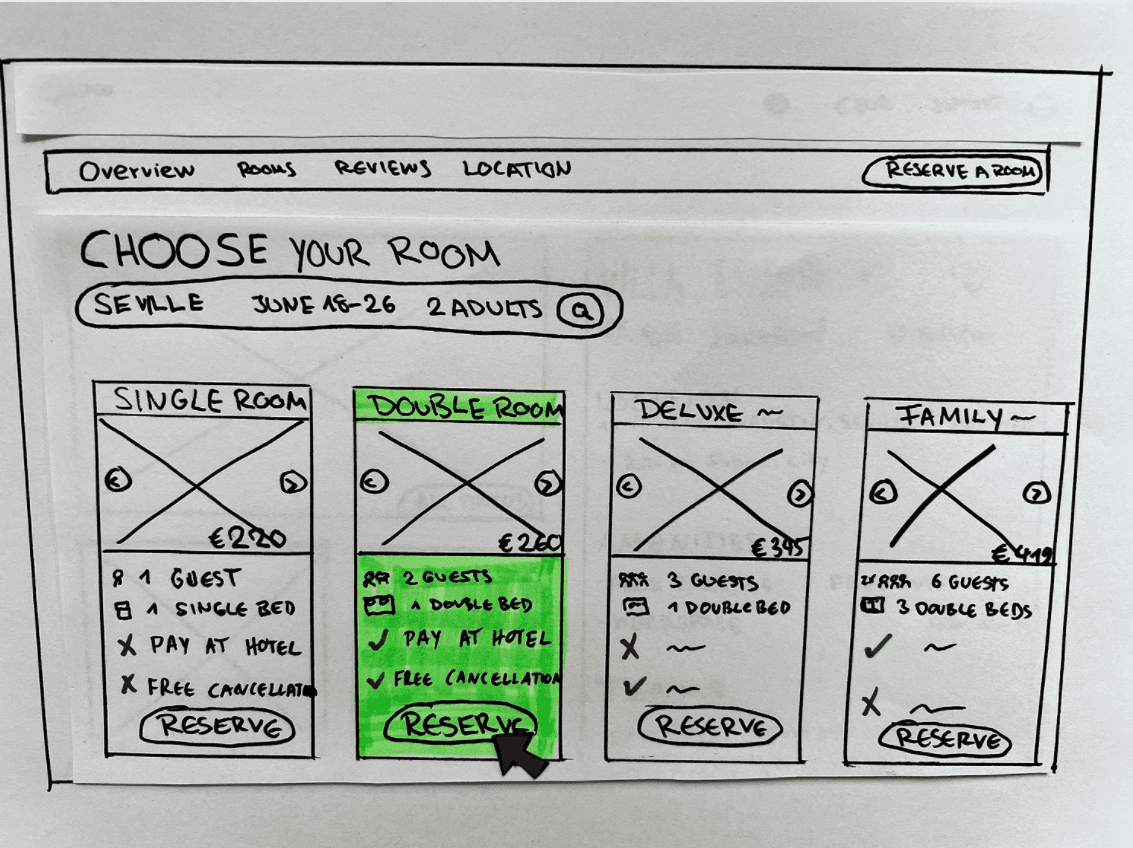
Before: Users had no way to compare rooms without scrolling back and forth. Room cards took up the full screen, key differences between rooms were unclear.
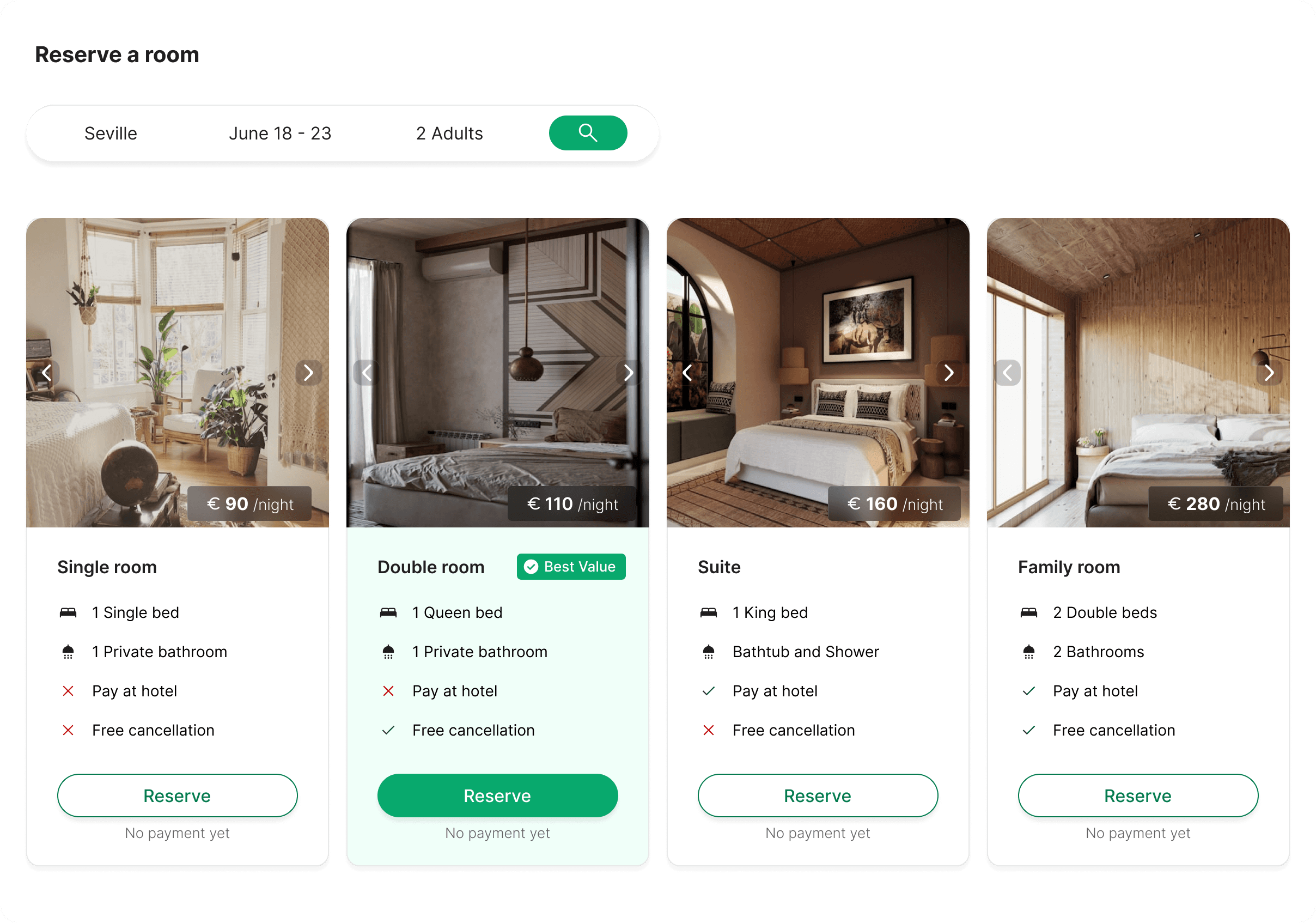
After: Side-by-side comparison reduces the time users spend evaluating options, lowering decision paralysis and supporting faster booking completion.
SIDE-BY-SIDE
Users can select up to 4 rooms to compare side-by-side. Limiting comparisons prevents decision paralysis, fewer options at once means faster, more confident choices.
KEY INFO UPFRONT
Bed type, cancellation, and payment terms visible on every card without clicking.
DECISION GUIDANCE
'Best Value' tag reduces cognitive load at the most critical decision point — supporting conversion by helping users commit faster, while creating upselling opportunities for premium rooms at discounted rates.
3
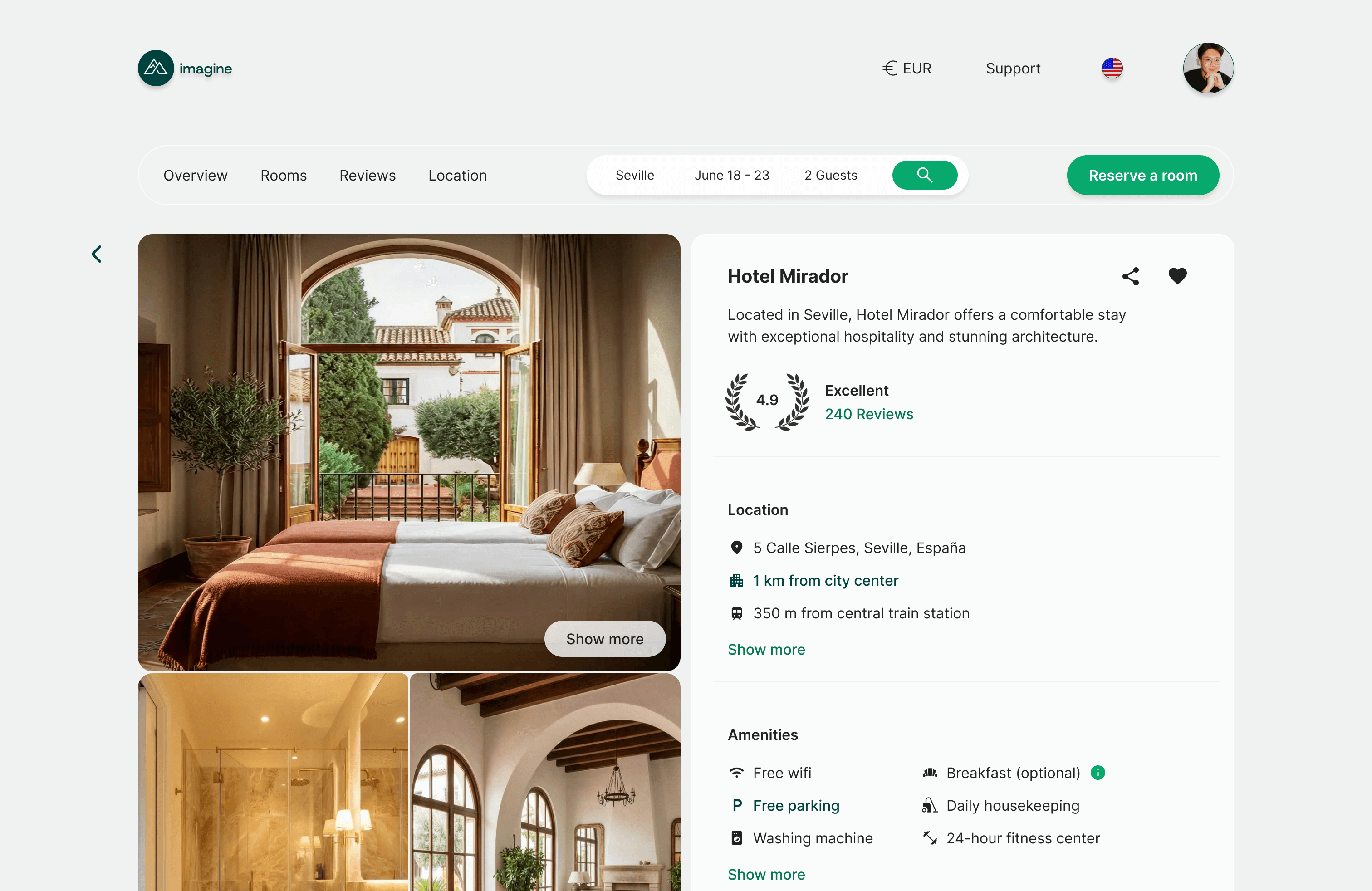
Visible Key Information
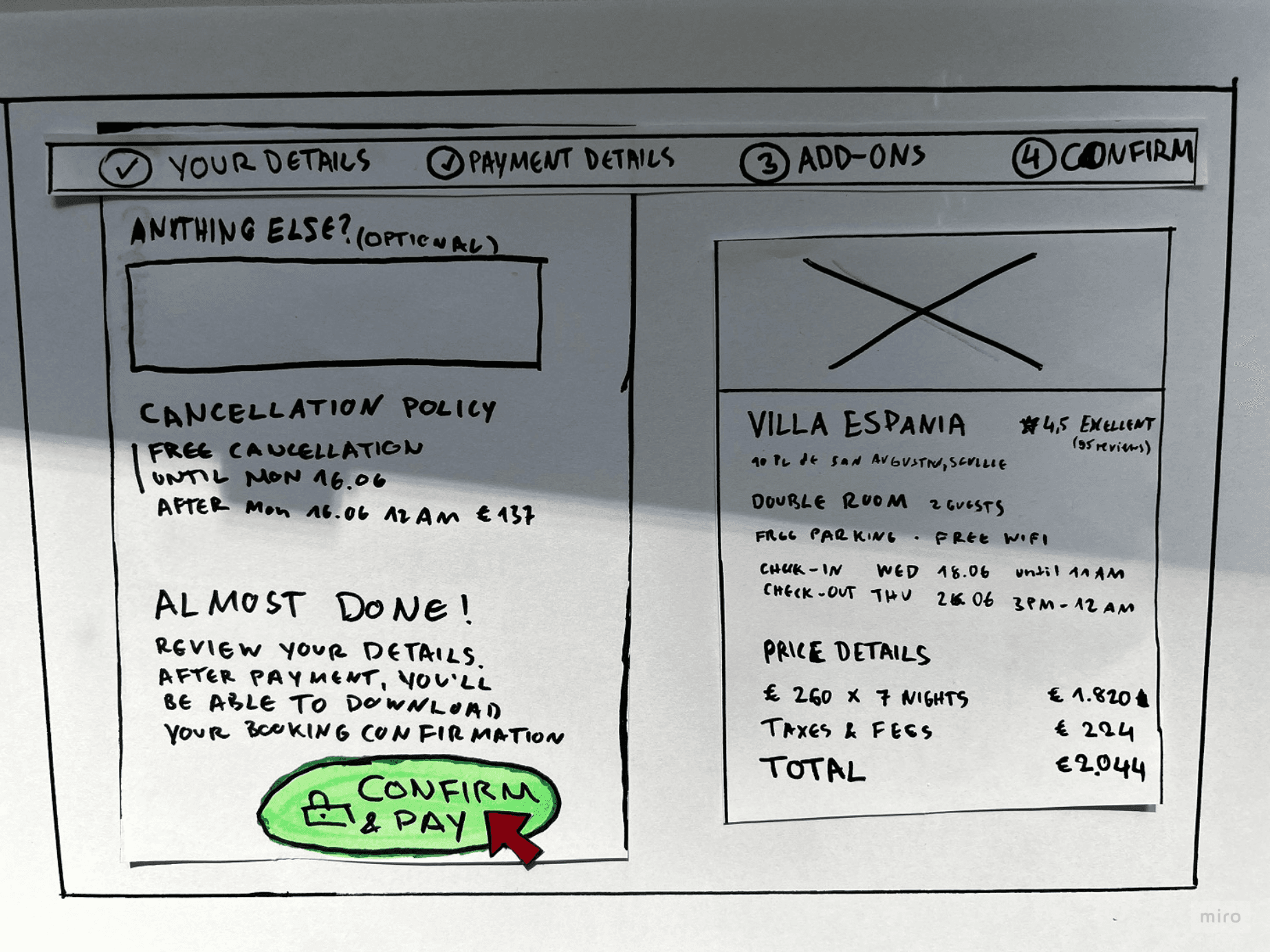
Before: Users struggled to find the same details. Breakfast inclusion, hotel location, and cancellation terms only appeared late in the flow.
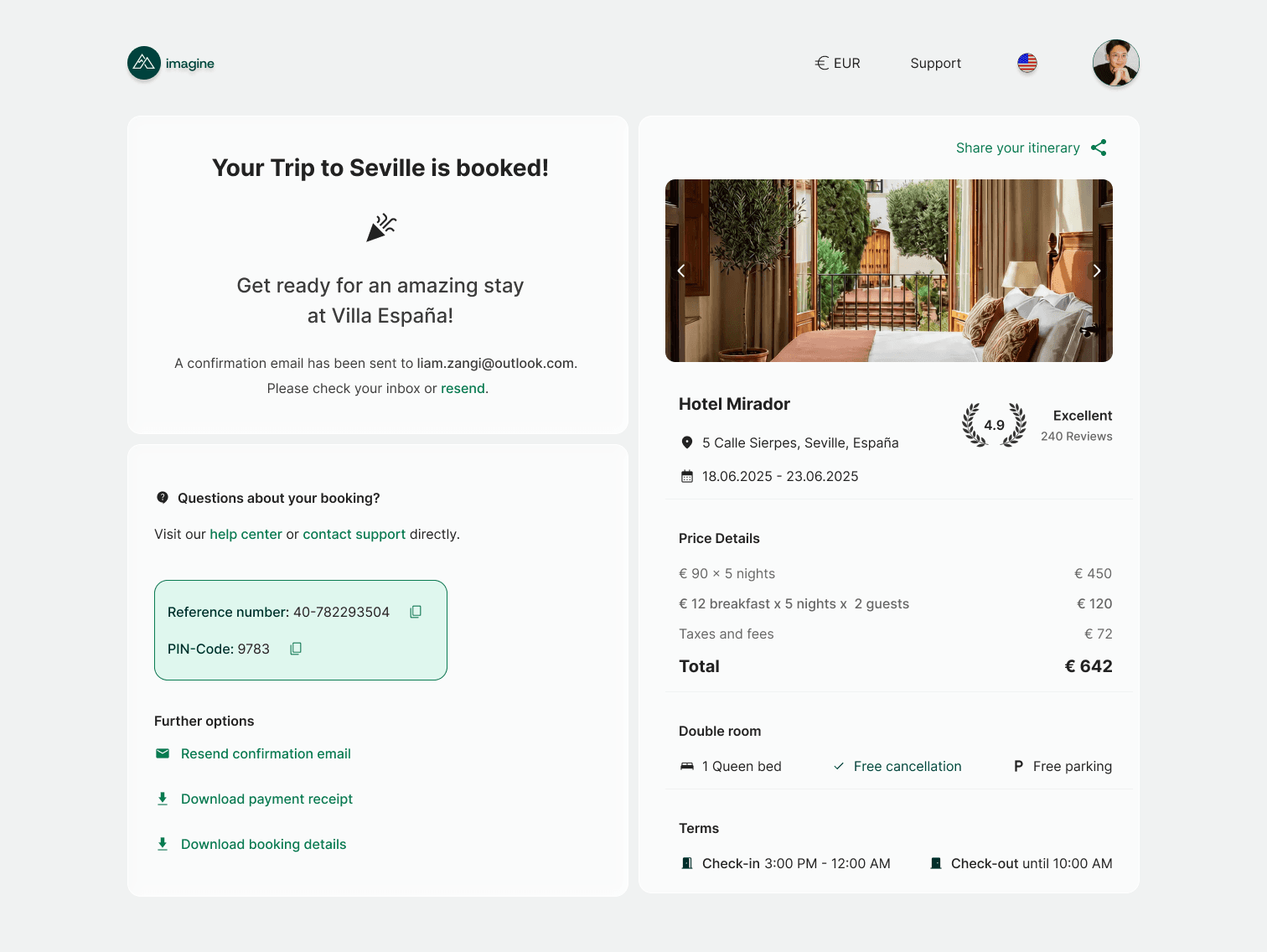
After: Surfacing key information early reduces uncertainty before users commit, lowering late-stage drop-off and supporting booking completion through transparency rather than urgency.

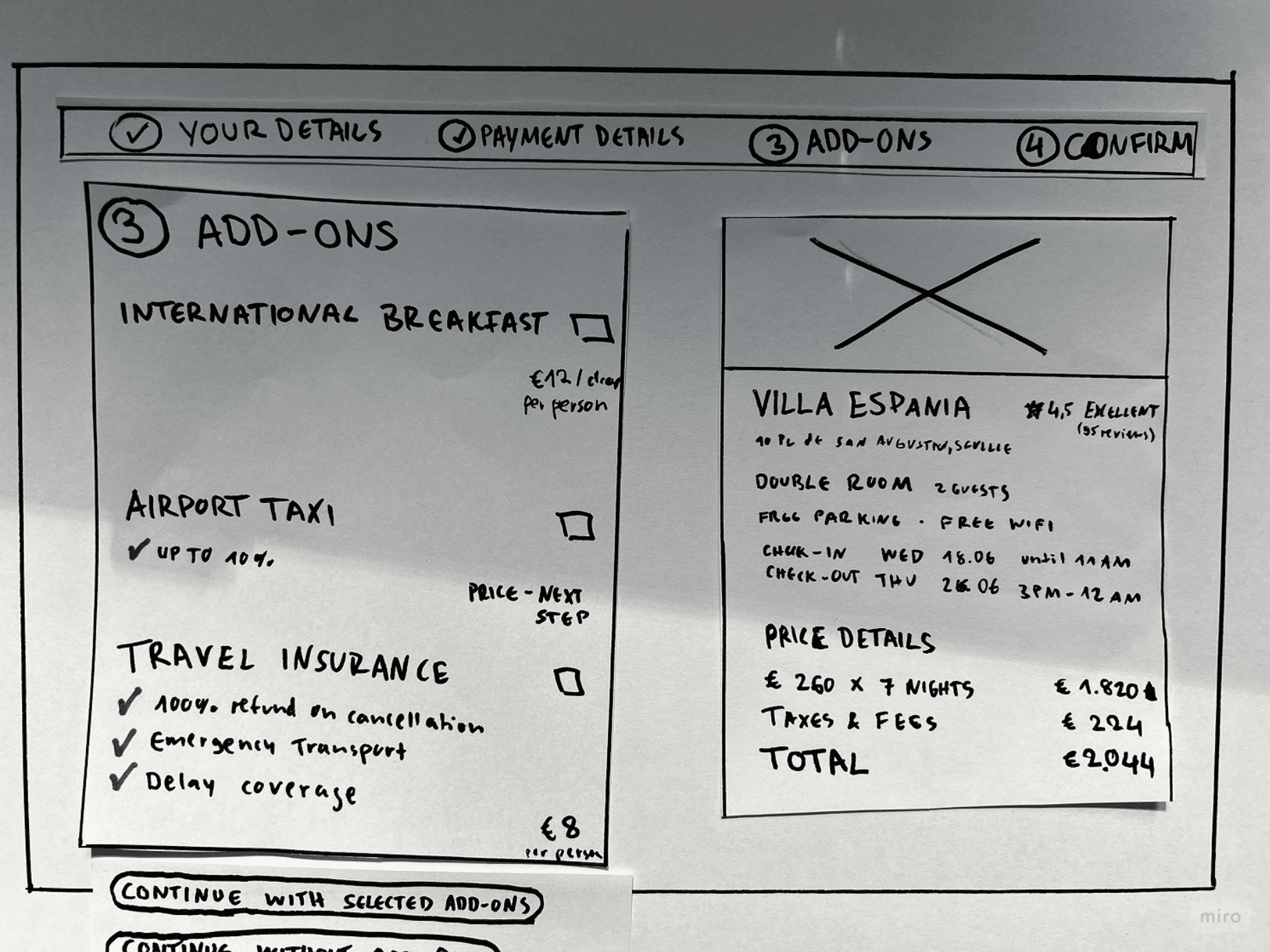
LOCATION UPFRONT
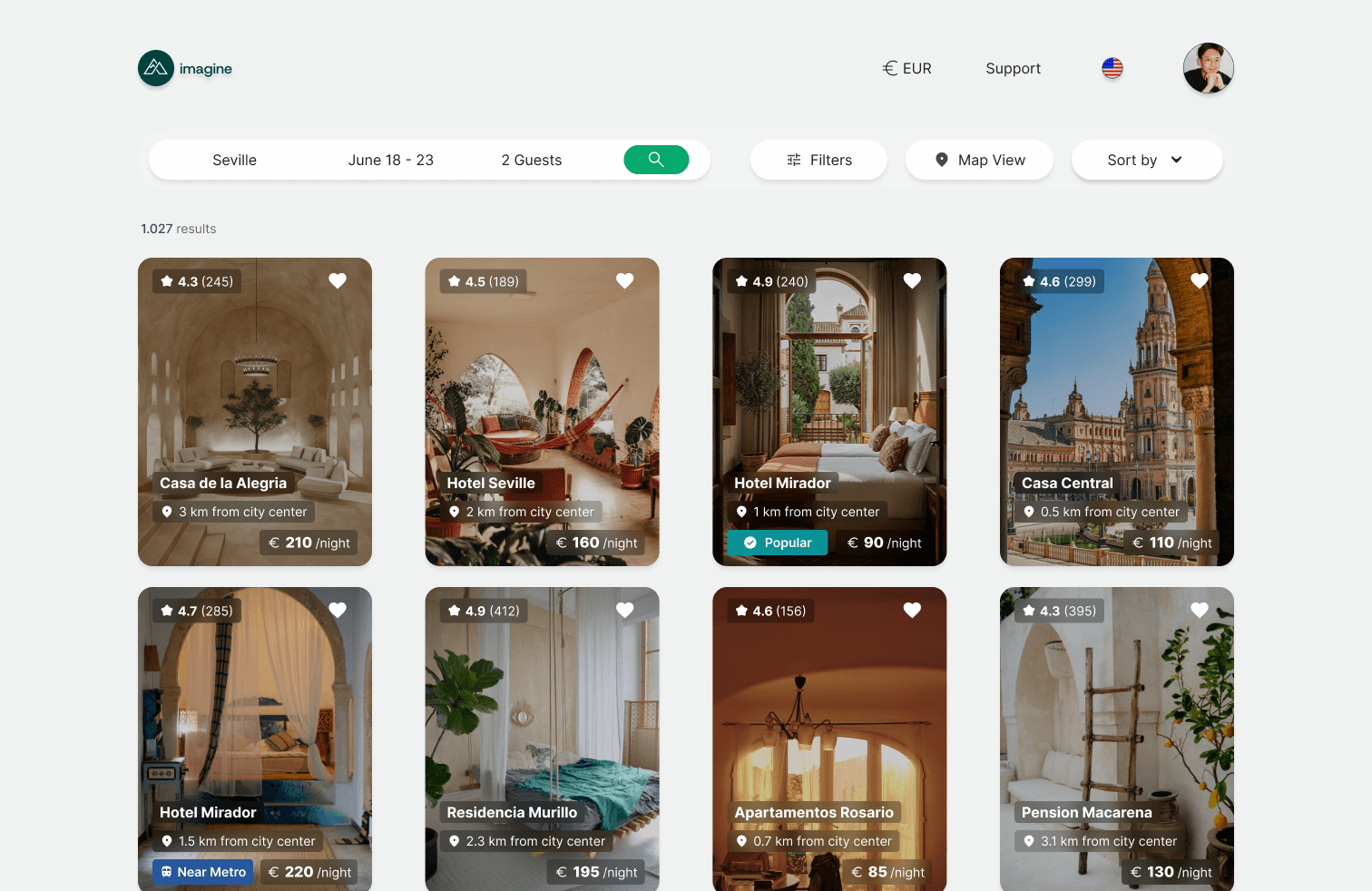
Location details required users to search through multiple screens before finding them. Showing distance to city center and train station immediately reduces time on task, prevents frustration from searching, and builds trust by being upfront about what matters most.
BREAKFAST CLARITY
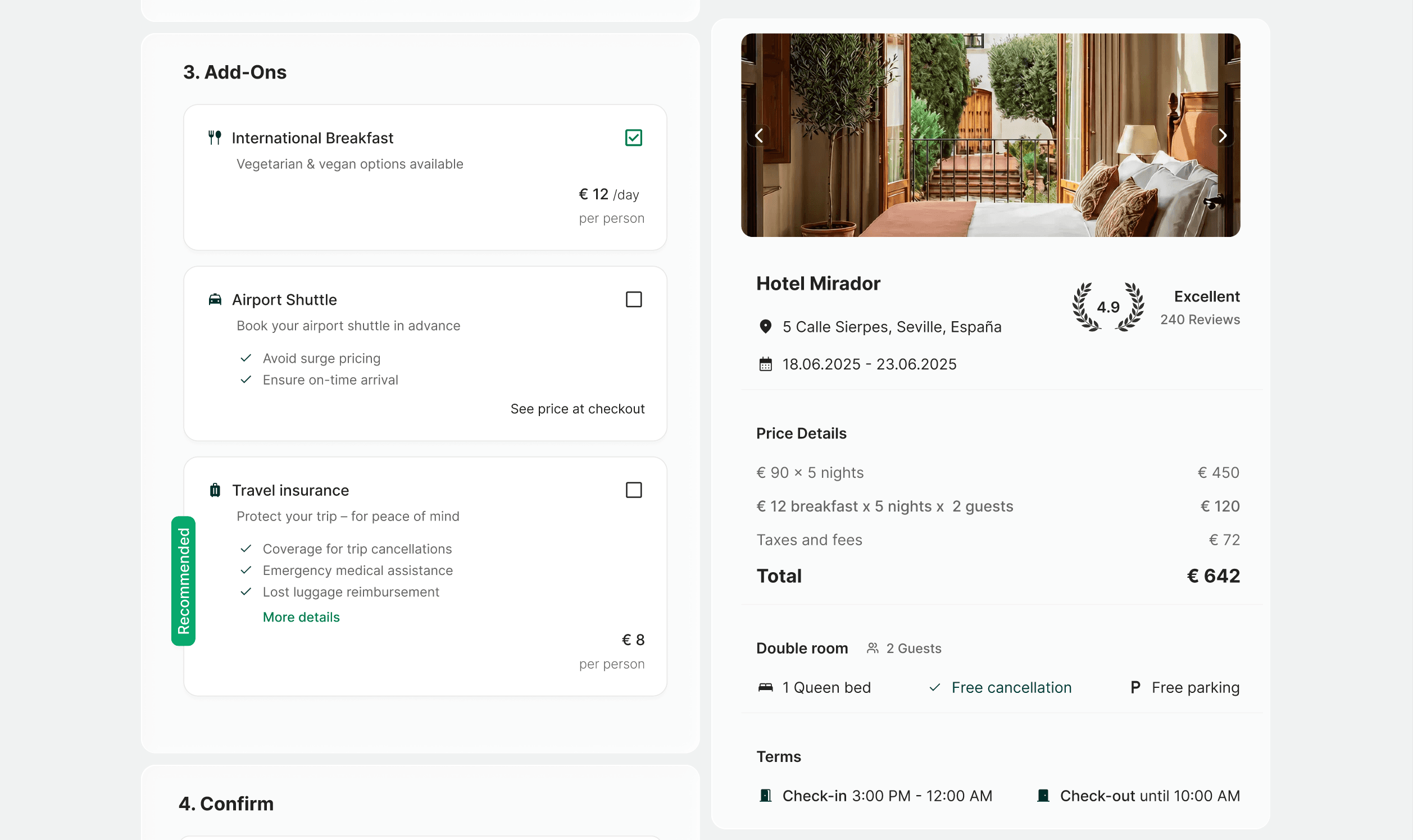
"Breakfast (optional)" with a ⓘ icon placed in amenities before room selection, and shown again as a selectable add-on at checkout. The status remains visible and unambiguous at both decision points.
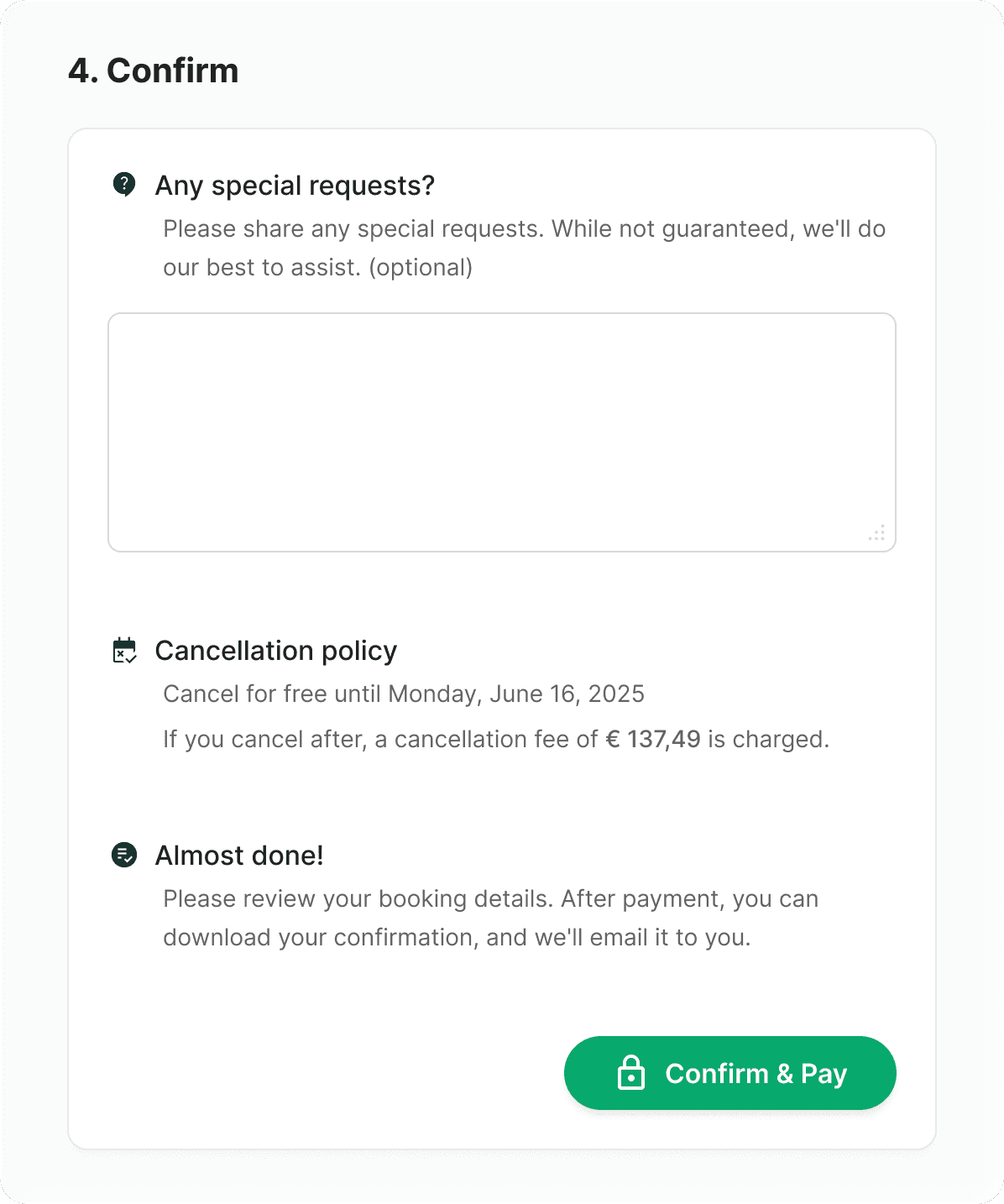
TERMS UPFRONT
Cancellation policy and check-in times visible before users commit — building trust & confidence early rather than creating doubt at the final step.
To validate whether the redesign addressed the identified friction points, I conducted 3 moderated usability sessions using the SEQ (Single Ease Question) after each task. Each task mapped directly to one of the three friction points.
With n=3, these results are treated as directional indicators rather than statistically significant findings. Date selection and room comparison both scored well above the industry benchmark of 5.5. Key info scored lower, which led to a valuable insight.
Category
Task
SEQ Score
Date selection
Select dates for a hotel stay
Room comparison
Choose a room for two guests
Key Info
Find breakfast and cancellation details
During testing, multiple participants looked for breakfast information earlier than the design provided it. One expected it directly on hotel cards in search results, another filtered for breakfast but still double-checked on the detail page whether it was included. This suggests breakfast status could benefit from being visible earlier and at more points in the flow, not just filterable, making it a strong candidate for further iteration.
Add breakfast status to room comparison cards, as evaluative testing revealed users still searched for this information during room selection
Conduct a larger round of usability testing to move from directional SEQ indicators to more statistically reliable findings